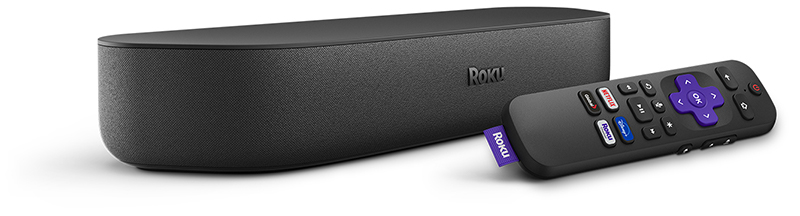
Your Roku Streambar connects directly to your TV, letting you stream movies and TV shows over the internet with exceptional, big-picture sound. You can also enjoy the same amazing sound from your TV's built-in tuner and any device connected to your TV, such as a Blu-ray™ player, game console, or cable set-top box. Just attach the included Premium High Speed HDMI® Cable, connect your Streambar to the internet, and complete the easy setup process. You will be listening to powerful sound from all your entertainment sources in no time.
How do I get started?
To help you get the most from your Roku Streambar and fine-tune your listening experience, you can follow along with the tutorial video below or review the Quick Start Guide. You can also browse the list of hand-picked articles to learn about a variety of related topics from troubleshooting technical issues, to streaming your favorite content, to personalizing your Roku experience.
 Roku Streambar Quick Start Guide (model 9102)
 Common questions
Check out some of the common questions people ask when setting up a Roku Streambar.
- Do I need to create a Roku account?
- How do I protect myself from activation and technical support scams?
- Why is a payment method required when creating a Roku account?
- Will I be charged a monthly subscription or rental fees?
 Set up your Roku Streambar
When you are ready, proceed with the simple setup process and activate your Roku Streambar.
- How do I set up my Roku Streambar?
- How do I enable HDMI-CEC and ARC on my TV?
- How do I mount my Streambar?
- How do I use a game console or Blu-ray player with my Streambar?
 Resolve setup issues
Should you run into an issue during setup of your Roku Streambar, you can find help in a variety of technical articles.
Setup
- What should I do if my Streambar will not power on?
- How do I resolve an issue when activating or linking my Streambar?
- How do I factory reset my Streambar?
Network
- What should I do if my Streambar is unable to connect to my wireless network?
- Tips for improving the wireless connection
Picture and sound
- What should I do if I cannot see the picture on my TV?
- What should I do if I see a “HDCP Error Detected” message?
- Why is HDCP 2.2 important to playing 4K Ultra HD or HDR content?
- How do I switch audio sources on my Streambar?
- How do I resolve channel playback issues?
- Why is sound out of sync with the picture?
Remote control
- How do I resolve problems with my Roku enhanced remote?
- Why can I not control my TV after installing my Streambar?
 Watch your favorite content
After your Roku Streambar is set up and linked to your Roku account, it is time to start streaming the latest blockbuster movies, popular TV shows, and more.
- What is The Roku Channel?
- How do I add channels?
- How do I find free movies and TV shows?
- How do I find 4K Ultra HD and HDR content?
- How do I use Roku Search to find my favorite content?
- How do I create a PIN to avoid accidental purchases?
 Learn about Roku features
The Roku OS offers a number of great features to help you get the most from your Roku Streambar and enjoy your streaming experience to the fullest.
- How do I use my voice to search and control my Streambar?
- How do I cast apps like YouTube or Netflix from my phone to my TV?
- How do I enable closed captioning?
 Adjust audio settings
Tailor the sound to match your room by fine-tuning the listening experience on your Roku Streambar.
- How do I adjust audio settings on my Streambar?
- How do I use volume modes for an even listening experience?
- How do I use Speech Clarity to boost dialogue?
 Personalize your experience
Once you are comfortable using your Streambar to watch and listen to your favorite content, you can create a personalized Roku experience just for you.
- How do I move channels on my Streambar?
- How do I change the theme to adjust the look of the Roku interface?
- How do I change the screensaver?
 Connect with Bluetooth®
Connect a Bluetooth-enabled device and you can listen to music, podcasts and other audio from your smartphone, tablet, or computer on your Roku Streambar.
- How do I connect a Bluetooth device to my Streambar?
- How do I resolve issues connecting a Bluetooth device?
- How do I prevent the Bluetooth channel from opening unexpectedly?
 Get the Roku mobile app
A great companion for your Roku experience is the free Roku mobile app for iOS® and Android™. You can use it to search and control your Roku device with your voice, connect headphones for Headphone Mode, share personal photos and video on your TV screen, and much more.